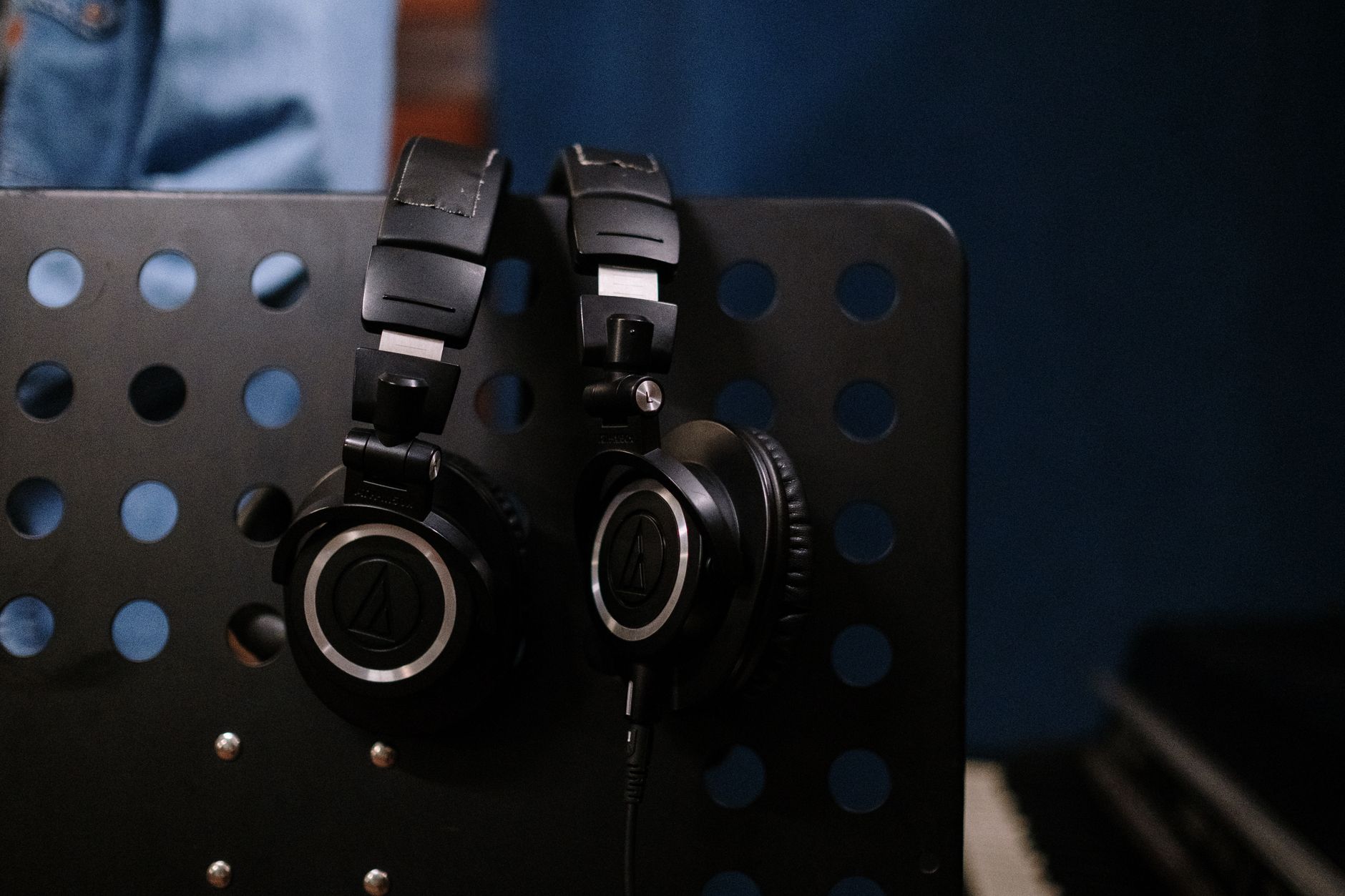
🎧 Best Headphones for Work From Home Calls (2025)
If you work from home, you already know the truth:
bad microphone quality is more annoying than bad audio.
For Zoom, Teams, and Google Meet, the priorities are different from “music first” headphones:
- ✅ Clear, natural microphone
- ✅ Comfort for 6–8 hour days
- ✅ Stable connection (Bluetooth or dongle)
- ✅ Good sidetone (so you don’t end up shouting)
These are the headphones/headsets that actually hold up for daily calls — not just spec-sheet flex.
🔝 Top Headphones for Work From Home Calls (Editor’s Picks)

Jabra Evolve2 65
Business-focused wireless headset with one of the best microphones for calls. Lightweight, comfortable, and extremely reliable for Zoom and Teams.

Sony WH-1000XM5
Excellent call quality thanks to advanced mic array + strong ANC. Comfortable for long sessions and great for music after work.
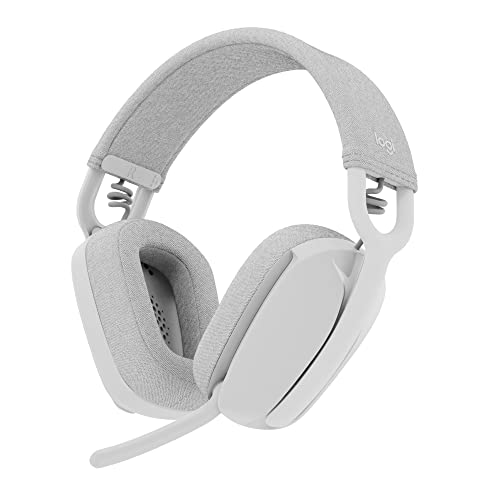
Logitech Zone Vibe 100
Affordable, work-friendly headphones with good mic clarity and very light clamp force — ideal for long meeting days.

Bose QuietComfort Ultra Headphones
Comfort king. Strong noise cancelling and surprisingly clean mic performance for professional calls.

Anker Soundcore Space Q45
Best budget-friendly option with solid mic clarity, long battery life, and comfortable fit for remote work.
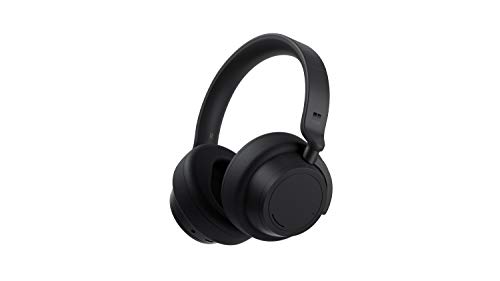
Microsoft Surface Headphones 2
Optimized for Teams users. Natural voice pickup, comfortable design, and intuitive dial controls.
📊 Comparison Table
Jabra Evolve2 65
- Boom mic = clearer voice
- Very reliable wireless (dongle)
- Lightweight for long days
Sony WH-1000XM5
- Strong mic array
- Top-tier ANC
- Great for music after work
Logitech Zone Vibe 100
- Very light clamp force
- Good mic for the price
- Simple daily-use controls
Bose QuietComfort Ultra Headphones
- Excellent comfort
- Very strong ANC
- Clean mic for a consumer ANC model
Anker Soundcore Space Q45
- Great battery life
- Comfortable fit
- Strong value for WFH
Microsoft Surface Headphones 2
- Great for Teams workflows
- Dial controls are fast
- Natural voice pickup
*Prices are approximate and may change. Always check the live price on Amazon before buying.
🧠 What Actually Matters for Work Calls
Microphone > comfort > connection stability > ANC
Things that make a real difference in daily meetings:
- Beamforming / multi-mic arrays (keeps your voice clear)
- Sidetone (you sound natural to yourself)
- Low clamp force (no headaches after 2–3 hours)
- Multipoint (laptop + phone switching)
- USB dongle reliability (less lag, fewer dropouts vs pure Bluetooth)
🧭 Quick Recommendations
- Best Overall for Calls: Jabra Evolve2 65
- Best Premium Hybrid (Work + Music): Sony WH-1000XM5
- Best Budget WFH Pick: Logitech Zone Vibe 100
- Best Comfort: Bose QuietComfort Ultra
- Best Value Alternative: Anker Soundcore Space Q45
- Best for Teams Users: Microsoft Surface Headphones 2
🛒 Buying Tips (Avoid Regret)
- If you’re on Teams/Zoom all day, “work headsets” (Jabra/Logitech) usually beat consumer ANC models.
- For noisy homes, ANC helps you hear, but mic quality decides how you sound.
- If you get complaints like “you sound far away,” prioritize boom mic or proven office models.
- If your laptop Bluetooth is flaky, look for USB dongle bundles.
❓ FAQ
What are the best headphones for work from home calls?
If call clarity is priority #1, a work headset like Jabra Evolve2 65 is hard to beat thanks to a strong mic and stable wireless.
Is noise cancelling important for work calls?
It helps you focus, but it doesn’t guarantee you’ll sound good. Mic quality matters more than ANC for your coworkers.
Is a boom mic better than built-in mics?
Usually yes. Boom mics tend to sound more natural and stay consistent even if you move around.
Do I need Teams-certified headphones?
Not required, but Teams-focused headsets can reduce issues with call controls, mute syncing, and device switching.