
📷 Best Budget Webcams Under $60 2026
You can get a sharp webcam in 2026 without spending conference-room money. The sweet spot under $60 now gives you solid 1080p, decent microphones, and easy plug-and-play behavior for laptops and desktop setups.
- Want the best overall → Anker PowerConf C200
- Want the best software control → Logitech C920x HD Pro
- Want the best cheap option → NexiGo N60
If you are also tuning your desk setup, see best budget desk lamps under $40 and best budget laptop backpacks 2026 for practical work-from-home upgrades.
🔝 Top Picks

Anker PowerConf C200
Crisp 2K sensor with flexible framing modes and an excellent value-to-quality balance.

Logitech C920x HD Pro
Reliable classic for calls and classes with proven software support and consistent image tuning.
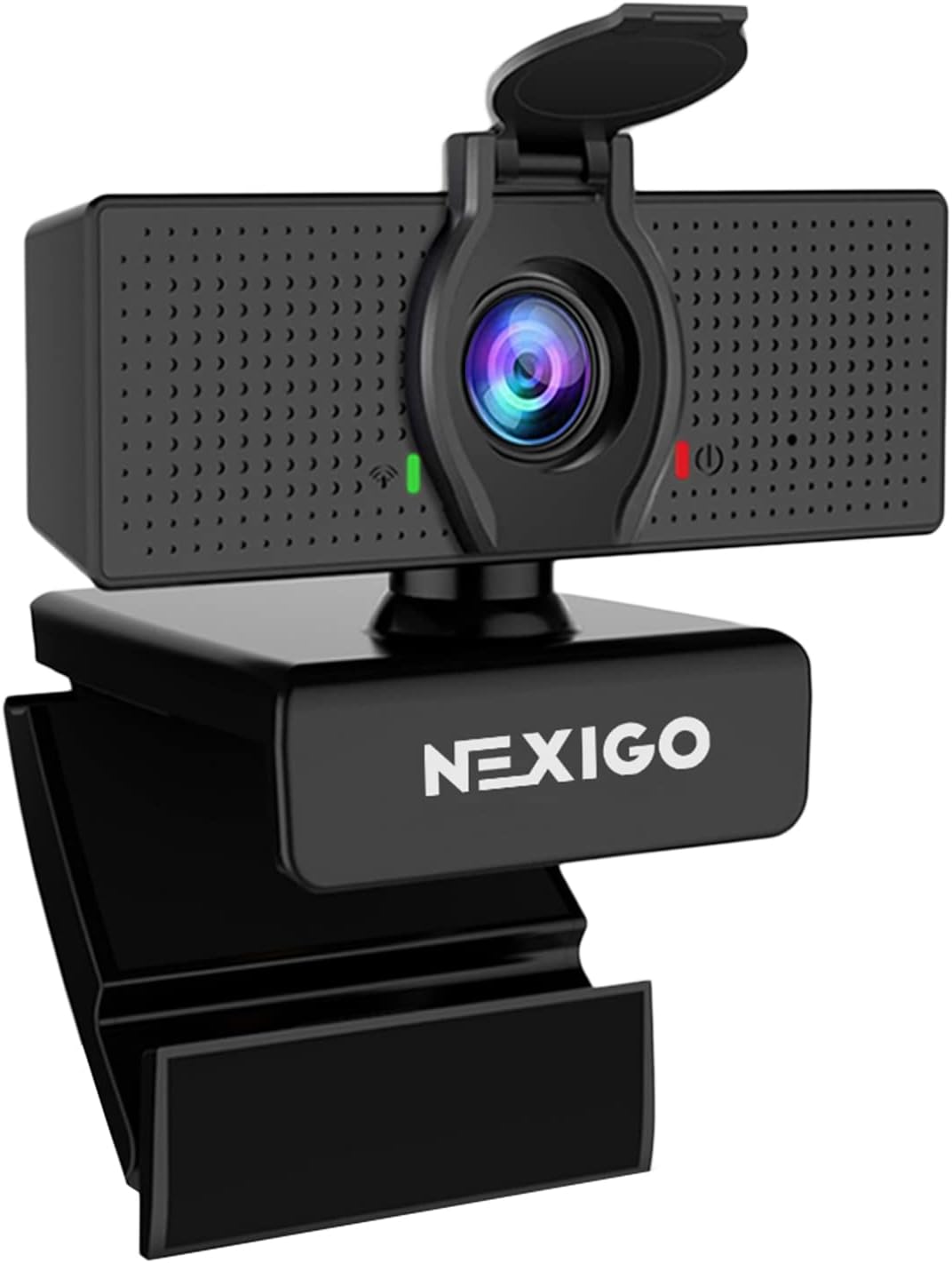
NexiGo N60
A low-cost 1080p webcam with wide compatibility and a physical privacy cover in the box.
Prices change often. Check today’s price and availability before you buy to make sure you’re getting the best deal.
🧠 How to Choose
1️⃣ Resolution vs real sharpness
Most buyers chase labels like 2K or 4K, but lens quality and software processing matter more in normal rooms. A good 1080p camera with smart exposure often beats a cheap high-resolution sensor.
2️⃣ Auto exposure and low light
Many home offices have mixed lighting from windows and desk lamps. Prioritize webcams with stable auto exposure and white balance so your face does not pulse bright and dark during calls.
3️⃣ Mounting and privacy
A webcam that sits securely on your monitor saves daily frustration. A built-in privacy shutter is also worth it if your camera stays plugged in all day.
🥇 Anker PowerConf C200 — Best Overall
The C200 is one of the strongest value picks in this price range thanks to clean detail, good dynamic range, and useful framing controls.
Why it stands out
- Sharp image with strong facial detail in normal indoor light.
- Useful app controls for field-of-view and exposure tweaks.
- Better consistency than many similarly priced 1080p models.
Best for
- Remote workers on daily Zoom or Meet calls.
- Buyers who want quality now without entering premium pricing.
🎛️ Logitech C920x HD Pro — Best Software & Compatibility
The C920x has been around for years for a reason: it just works, on nearly every setup, with very predictable results.
Why it stands out
- Broad app and OS compatibility with minimal setup hassle.
- Natural color tuning out of the box for video meetings.
- Trusted long-term reliability with huge user feedback history.
Best for
- Teams using mixed hardware and software across home offices.
- Users who want a proven webcam with little tweaking.
💸 NexiGo N60 — Best Budget Pick
If you simply need to look clear in meetings without overpaying, the N60 gives a lot for a low price.
Why it stands out
- Great price-to-performance for casual daily calls.
- Includes privacy cover and simple clamp mount.
- Fast plug-and-play behavior on common conferencing apps.
Best for
- Students and occasional meeting users.
- Anyone replacing a blurry built-in laptop camera on a budget.
📊 Comparison Table
Anker PowerConf C200
- Sharp detail
- Flexible framing app
- Great all-around value
Logitech C920x HD Pro
- Proven reliability
- Strong software support
- Natural color output
NexiGo N60
- Lowest cost
- Easy setup
- Includes privacy cover
*Prices are approximate and may change. Always check the live price on Amazon before buying.
Prices change often. Check today’s price and availability before you buy to make sure you’re getting the best deal.
✅ Quick Buyer Guide
- Want best overall quality → Anker PowerConf C200
- Want safe, proven compatibility → Logitech C920x HD Pro
- Want the cheapest practical webcam → NexiGo N60
🔗 Related on Smart Budget Picks
- Best wireless mouse under $50 2026 — complete your desk with a smoother pointer upgrade.
- Best cheap headphones with mic 2026 — pair clear video with clearer voice calls.
Prices change often. Check today’s price and availability before you buy to make sure you’re getting the best deal.
❓ FAQ
Is 1080p enough for video calls in 2026?
Yes, for most meetings and online classes, 1080p is still the practical sweet spot. Good lighting and stable exposure matter more than jumping to higher resolutions.
Do I need autofocus on a budget webcam?
Autofocus helps if you move a lot or switch distance from the camera. If you stay at a fixed desk position, fixed-focus models can still look great and save money.
Are built-in webcam microphones good enough?
They are usually okay for casual calls in a quiet room. For clearer voice quality and less echo, a basic USB mic or headset is still a noticeable upgrade.
What is the best webcam under $60 for remote work?
The Anker PowerConf C200 is typically the strongest all-rounder in this budget tier. It balances detail, exposure behavior, and software options better than most rivals.
Can I use these webcams on both Windows and Mac?
Yes, all three are commonly used on both platforms with major video-call apps. Always check current listing notes for specific OS versions and app support.
Does a privacy shutter really matter?
For many people, yes, because it gives instant peace of mind between calls. It is a simple feature that is easy to appreciate over long-term daily use.


